Albania
 Argentina
 Australia
 Austria
 Belgium
 Bosnia and Herzegovina
 Brazil
 Bulgaria
 Canada
 Chile
Chile
 Colombia
 Croatia
 Czech Republic
 Denmark
 Estonia
 Finland
 France
 Germany
 Greece
 Hungary
 Ireland
 Italy
Italy
 Latvia
 Lithuania
 Luxembourg
 Mexico
 Moldova
 Montenegro
 Netherlands
 New Zealand
 North Macedonia
 Norway
 Philippines
 Poland
 Portugal
 Romania
 Serbia
 Slovakia
 Slovenia
 South Africa
 Spain
Spain
 Sweden
 Switzerland
 Turkey
 Ukraine
 United Kingdom
 United States of America



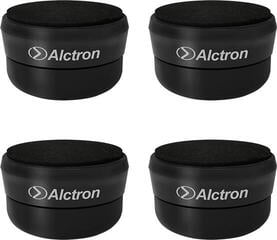
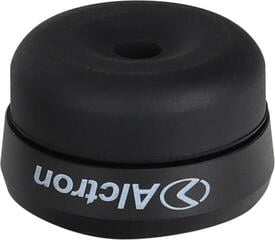
Studio Monitor Isolation Pads
Studio monitor isolation pads decouple the speaker cabinet from the desk or other surface and reduce the transmission of mechanical vibrations. They help reduce furniture resonance that can distort your mixing and recording decisions. They are not a substitute for room acoustic treatment or correct monitor placement, but they can alter their mechanical contact with the supporting surface. Choose according to dimensions, monitor weight, material stiffness, and the required angle.
Why the surface beneath the monitor matters
When operating, a loudspeaker does not only set the air in motion; some of its energy is also transmitted into the pad and desk. A lightweight or hollow board can begin to resonate and add its own coloration to the monitoring, especially in the lower range. You can then easily misjudge bass or the position of sounds in the stereo image. An isolation pad places a damping layer between the monitor and the furniture, reducing part of this transmission.
The result depends on the entire setup. Soft material loaded with a monitor that is too heavy may compress so much that it loses effectiveness and stability. Conversely, a pad that is too hard beneath a light speaker cabinet may not damp sufficiently. Therefore, compare the manufacturer's recommended load rating with the weight of one monitor, not the weight of the pair.
Dimensions, load capacity, and tilt
| Feature | What it means in use | Risk of incorrect choice |
|---|---|---|
| Pad surface area | It should support the monitor base | An overhanging speaker cabinet may be unstable |
| Load capacity and stiffness | Determines how the material behaves under load | Excessive compression reduces isolation |
| Height | Changes the position of the tweeter | The listening axis may point away from your ears |
| Adjustable tilt | Aims the monitor upward or downward | An incorrect angle disrupts listening symmetry |
| Non-slip surface | Keeps the speaker cabinet in place during normal handling | The monitor may slide across a smooth desk |
The pad should not be significantly smaller than the monitor base. A slight pad overhang usually does not matter, but it must not interfere with controls or cables. If several wedges are included, check the possible configurations before positioning them. Set both monitors identically so that the tweeters point toward the listening position at the same angle.
Placement on the desk
The left and right monitors should be positioned symmetrically in relation to you. Start by arranging them with the listening position in an approximately equilateral layout, with the tweeters at ear level or aimed toward your ears. Move the pads together with the monitors, not as separate decorative elements. The front edge of the speaker cabinet should not remain recessed behind objects that create early reflections.
- Remove loose objects from the desk that rattle with bass.
- Do not let the monitor stand partly on the pad and partly on the desk.
- Route cables with sufficient slack so they do not pull the speaker cabinet to one side.
- After setup, check stability with gentle pressure, not a loud test.
- Maintain the same tilt and distance on both sides.
Pads or standalone stands
Pads are practical if the monitors must remain on the desk and their height is already approximately correct. They take up little space and reduce contact with the desktop. Studio monitor stands give you greater flexibility in height and distance from the workstation, but they also require floor space and safe cable routing. In a small studio, decide according to listening geometry, not only according to free desk space.
If you want to mount the monitors on a separate structure or wall, check the compatibility of mounting points and the bracket's load capacity. A foam pad is not a safety mounting solution. With heavier speaker cabinets, a stable base and level floor are important; soft carpet or unevenness can affect a stand differently from a desktop pad.
What a pad will not solve
Reflections from bare walls, long reverberation, and uneven bass in the room require different treatment. Appropriately placed studio acoustic elements can help, but their type and placement should be chosen according to the specific issue. Pads also will not change the frequency response of the monitor itself or correct an asymmetrical desk position. They only make sense after the monitors have been placed correctly.
When low frequencies build up significantly, the solution is often found in the position of the monitors, listening position, and the use of bass traps, not in replacing the foam beneath the speaker cabinet. Evaluate changes at the same volume and using recordings you know well. Brief switching can be misleading; it is more useful to check whether your mixes translate better to other monitoring systems after the adjustment.
Setup without unnecessary mistakes
- Measure the monitor base and desk surface.
- Check the weight of one unit and the pad's recommended load rating.
- Assemble the wedges to the same tilt for both the left and right sides.
- Place the entire bottom of the speaker cabinet on the pad and level the setup.
- Aim it toward the listening position, then tidy the cables.
Maintenance and long-term checks
Remove dust in a way suitable for the specific material, and do not use solvents without the manufacturer's recommendation. Foam can change shape over time, especially if it is permanently overloaded or exposed to heat and sunlight. Occasionally check that both pads compress equally and that the monitor is not tilting. When moving them, lift the speaker cabinet and pad separately; dragging can damage the desk surface or pull the monitor over.
The entire monitor base should remain supported and stable, with the tweeter aimed at your ears. First fine-tune the matching position of both monitors, then listen to the change. This makes it easier to distinguish desk resonance from problems caused by room reflections.