Albania
 Argentina
 Australia
 Austria
 Belgium
 Bosnia and Herzegovina
 Brazil
 Bulgaria
 Canada
 Chile
Chile
 Colombia
 Croatia
 Czech Republic
 Denmark
 Estonia
 Finland
 France
 Germany
 Greece
 Hungary
 Ireland
 Italy
Italy
 Latvia
 Lithuania
 Luxembourg
 Mexico
 Moldova
 Montenegro
 Netherlands
 New Zealand
 North Macedonia
 Norway
 Philippines
 Poland
 Portugal
 Romania
 Serbia
 Slovakia
 Slovenia
 South Africa
 Spain
Spain
 Sweden
 Switzerland
 Turkey
 Ukraine
 United Kingdom
 United States of America



Wireless systems for XLR microphones
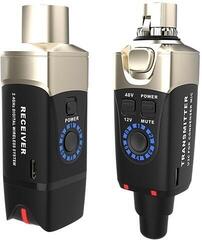
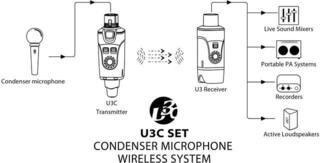
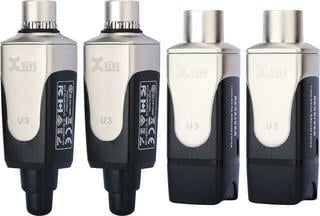
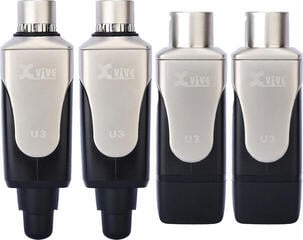
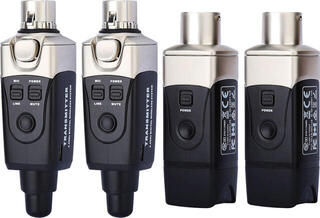
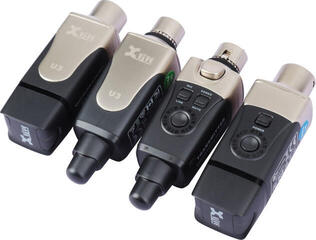
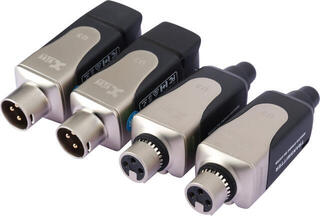
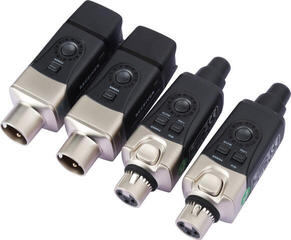
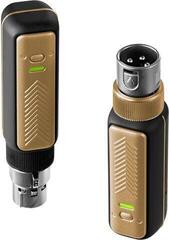
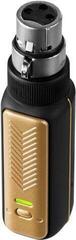
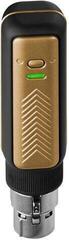
A wireless system for an XLR microphone replaces the signal cable with a transmitter connected to the microphone’s connector and a receiver at the mixer, active loudspeaker or recorder. It lets you move more freely on stage, during a presentation or while filming, but compatibility cannot be assessed solely by the connector shape. Before choosing, check the microphone type, power supply, permitted frequency band, receiver output and charging method. The cable may disappear from the signal path, but transmission reliability is still affected by the venue, radio traffic and system setup.
When an XLR adapter makes sense
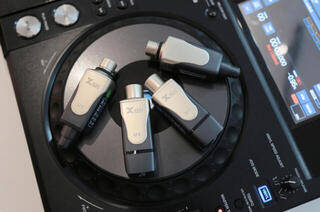
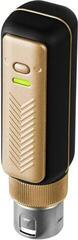
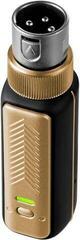
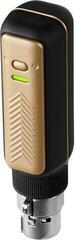
This format is practical if you already own a wired handheld or reporting microphone and want to use it without a long cable across the floor. The transmitter connects directly to the microphone or via a short cable; the receiver then sends audio to the input of the sound system. It is suitable for presenting, speech, vocals and mobile recording if the system parameters match the source. An alternative is a complete wireless handheld set, in which the microphone and transmitter are designed as one unit.
The XLR connection itself does not guarantee support for every microphone. A dynamic microphone generally does not need input power, while some condenser models require phantom power. Therefore check whether the transmitter can provide it and in what form; do not automatically regard the adapter as a replacement for a standard microphone cable. To compare different microphone solutions, the category of studio microphones can be useful, but the documentation for each specific model is decisive.
Compare the intended use
| Situation | Benefit of the solution | What to check |
|---|---|---|
| Vocals and presenting on stage | More freedom of movement without a long microphone cable | Transmitter attachment, latency, battery life and connector durability |
| Interview or reporting | Quick connection of a microphone to a camera or recorder | Output level, adapters, monitoring and receiver fastening |
| Permanent presentation setup | Easier handover of the microphone between speakers | Frequency coordination and charging operation |
| Condenser XLR microphone | Possible cable-free use only with suitable support | Phantom-power requirement and transmitter compatibility |
| Several microphones at once | Separate channel for each user | Number of simultaneous systems and mutual interference |
Frequency, range and interference
Wireless transmission uses a frequency band whose rules may differ by country. Choose only a system intended for the place where it will be used and check local conditions before the event. A manufacturer’s range specification is usually tied to a particular test environment; walls, metal structures, an audience and other transmitters can change it. Instead of relying on a single range figure, test the entire route along which you will move.
- Maintain line of sight between transmitter and receiver whenever possible.
- Do not hide the receiver directly behind a metal structure or among bundles of cables.
- With several sets, use mutually suitable channels according to the manufacturer’s instructions.
- Check battery status before the performance and prepare a safe way to replace or charge batteries.
- Conduct a soundcheck with other wireless devices switched on.
Analogue and digital transmission
The label “analogue” or “digital” does not decide for you. Watch connection quality, latency, behaviour when the signal weakens, channel-selection options and practical operation. For a singer, monitoring without disruptive latency can be crucial; for speech, reliable pairing and simple status checking may matter more. If you work with several performers, record assigned channels and label receivers.
Connectors and correct signal level
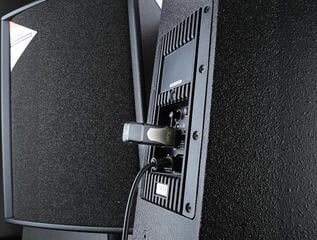
The receiver may be designed to plug directly into an XLR input or offer another analogue or digital output. Check whether the destination device expects microphone or line level, and set the input gain accordingly. Gain that is too low increases noise from subsequent amplification, while gain that is too high can overload the input during loud speech. To connect several sources, use mixing consoles; for direct recording to a computer, also look at USB audio interfaces.
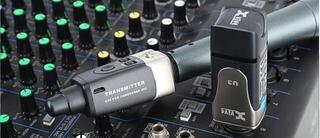
Mute the channel when connecting and disconnecting. A transmitter protruding from the microphone body changes weight distribution and may interfere with a clip, so try the complete setup in your hand and on a stand. Also pay attention to the mechanical locking of the XLR connection and the space around the connector; a rotating or bulky module may not fit every microphone body.
Power supply and workflow
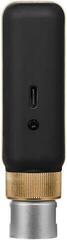
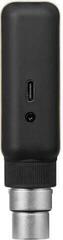
An integrated rechargeable battery reduces handling of individual cells, but requires a regular charging routine. Replaceable batteries can be swapped during the day, but you need to monitor their status and store them correctly. For a longer programme, allow for a reserve and find out whether the system can be used while charging; this option is not automatic. Status indicators should be readable where the receiver will actually be placed.
- Write down the type and power requirements of your XLR microphone.
- Identify the device that will receive the receiver’s output and its input level.
- Check the permitted band and the number of systems that must operate simultaneously.
- Compare power supply, connectors, monitoring and physical dimensions.
- After pairing, set the gain and walk the planned route during the soundcheck.
A wireless connection removes the cable between microphone and receiver. It does not remove the need for a soundcheck. If you want convenience during a live performance, focus first on electrical and mechanical compatibility, then on frequency coordination. Finally, walk the whole planned route with the microphone and monitor both transmission and mechanical attachment. Such a test tells you more about the setup than a general range specification.