 Albania
 Argentina
 Australia
 Austria
 Belgium
 Bosnia and Herzegovina
 Brazil
 Bulgaria
 Canada
 Chile
Chile
 Colombia
 Croatia
 Czech Republic
 Denmark
 Estonia
 Finland
 France
 Germany
 Greece
 Hungary
 Ireland
 Italy
Italy
 Latvia
 Lithuania
 Luxembourg
 Mexico
 Moldova
 Montenegro
 Netherlands
 New Zealand
 North Macedonia
 Norway
 Philippines
 Poland
 Portugal
 Romania
 Serbia
 Slovakia
 Slovenia
 South Africa
 Spain
Spain
 Sweden
 Switzerland
 Turkey
 Ukraine
 United Kingdom
 United States of America



How a beat is made
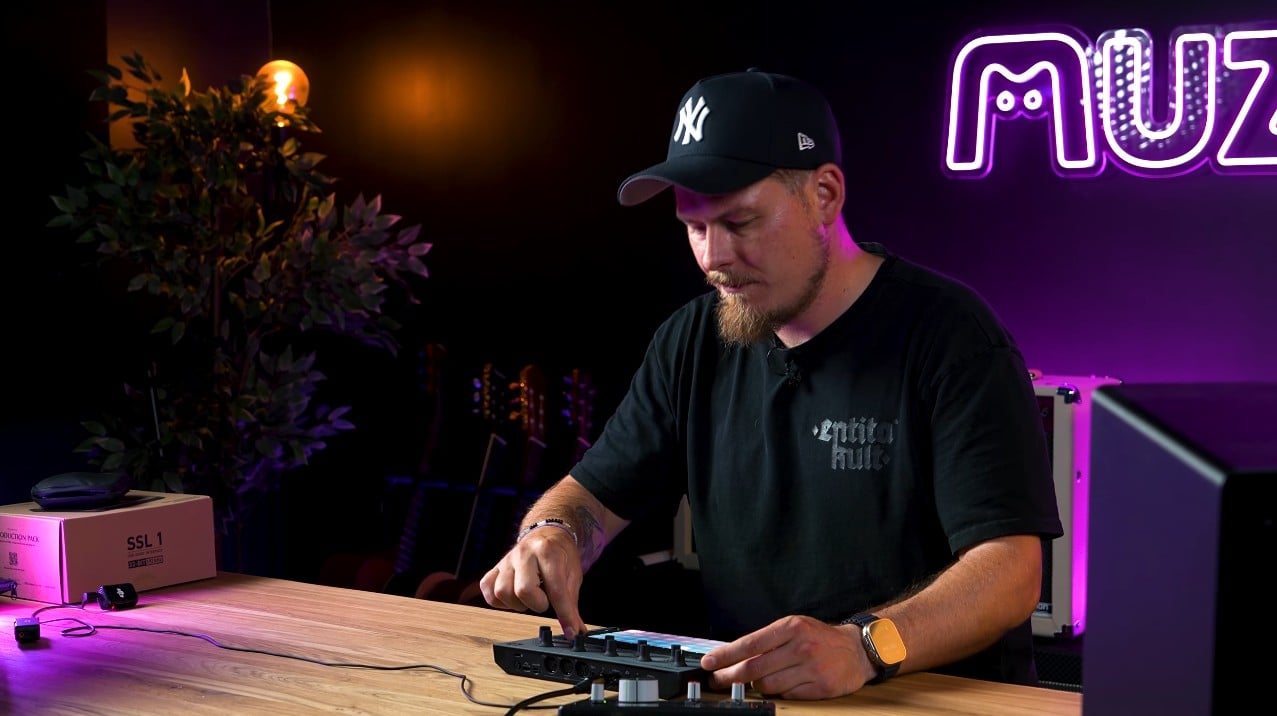
Viktor from the band Fvck_Kvlt, also known as DJ VKTRD, built an entire beat on a single groovebox. We wrote his process up as ten steps, from picking a sample through drums and bass to the recording.
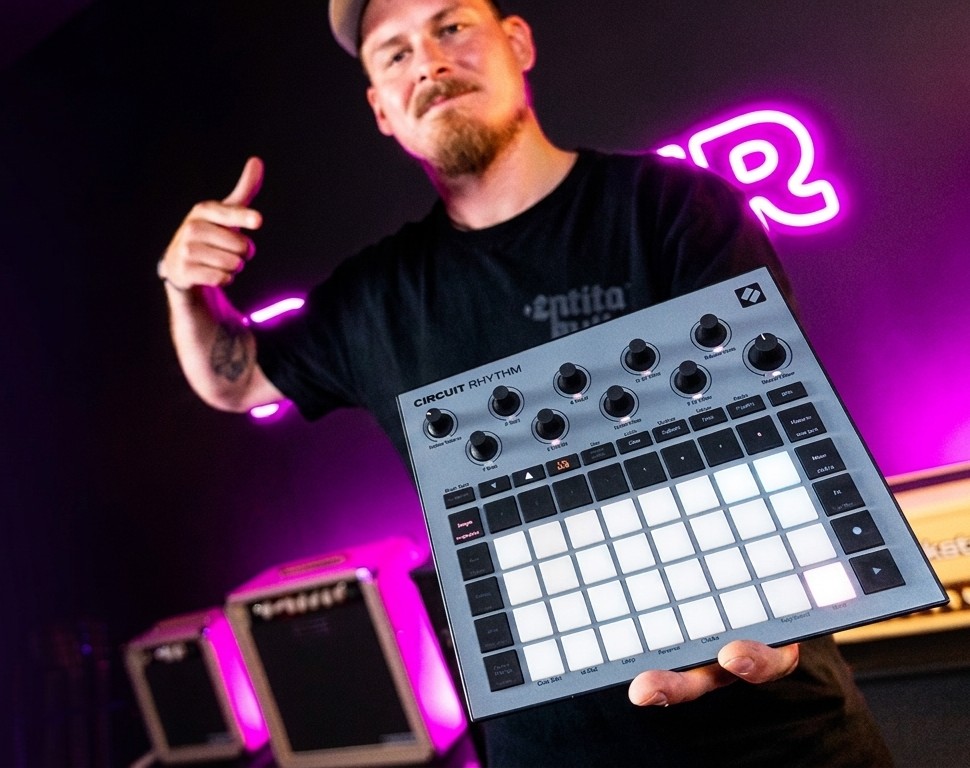
Viktor, who you may know from the band Fvck_Kvlt, from the LFO music school or from behind the decks as DJ VKTRD, sat down with us with a single box and a few hours later had a finished beat. We wrote his process up as steps so you can come back to it without scrubbing through the video.
You need neither a computer nor an expensive studio for this. The whole beat was built on one groovebox, a Novation Circuit Rhythm, a device the size of a book with eight tracks and sixteen pads. We go from picking the first sample through the drums, the bass and the effects, all the way to having the track recorded and ready to polish on a computer.
You need neither a computer nor an expensive studio for this. The whole beat was built on one groovebox, a Novation Circuit Rhythm, a device the size of a book with eight tracks and sixteen pads. We go from picking the first sample through the drums, the bass and the effects, all the way to having the track recorded and ready to polish on a computer.
The full episode No Headroom with Viktor is on our YouTube channel. It is in Slovak, but every step is shown on screen.
Why start on a groovebox and not a computer
On a computer you have infinite tracks, infinite plugins and infinite ways to get stuck. A groovebox gives you eight tracks, a handful of knobs and nothing else, and that is exactly where its strength lies. Viktor says it plainly in the episode: it is the limits that push creativity forward, because when you only have eight tracks you stop speculating and start deciding.
The second advantage is that everything you build on it you can also play live. A track is not just a file on a computer but something you take on stage and perform with your hands. If this route appeals to you, browse all grooveboxes, drum machines or standalone samplers, and if you want to stay with Novation, there is the whole range of Novation grooveboxes including the Circuit Tracks and the original Circuit.
The second advantage is that everything you build on it you can also play live. A track is not just a file on a computer but something you take on stage and perform with your hands. If this route appeals to you, browse all grooveboxes, drum machines or standalone samplers, and if you want to stay with Novation, there is the whole range of Novation grooveboxes including the Circuit Tracks and the original Circuit.
Step 1: Find a sample and slice it up
The foundation of the whole beat was a single clean piano sample. Viktor dropped it onto the first track, switched the sampler into sample mode and sliced it into sixteen pieces, one per pad. That turned the sample from a fixed loop into an instrument you can actually play.
He then pitched it down a little, because the original key did not sit right, and that is the moment somebody else's recording starts becoming your own thing. A lower pitch gives the piano a deeper, darker character that sits far better at hip-hop tempo.
You can buy samples, download them, or record your own. They get into the machine via a memory card, over USB-C or straight through the inputs, where you can plug in a turntable, a synthesizer or a microphone. If you record through a computer you need an audio interface, and choosing one is covered in how to choose an audio interface.
He then pitched it down a little, because the original key did not sit right, and that is the moment somebody else's recording starts becoming your own thing. A lower pitch gives the piano a deeper, darker character that sits far better at hip-hop tempo.
You can buy samples, download them, or record your own. They get into the machine via a memory card, over USB-C or straight through the inputs, where you can plug in a turntable, a synthesizer or a microphone. If you record through a computer you need an audio interface, and choosing one is covered in how to choose an audio interface.
Step 2: Add texture so it is not sterile
Once Viktor had the piano, he did not go straight to the drums but added a layer of vinyl crackle and noise first. It sounds like a detail, yet this coating of dirt is what holds the whole lo-fi sound together, and without it the beat comes across as artificial.
What is more interesting is how it works technically. Every track loops at its own length, so the piano runs over thirty-two bars while the crackle runs over just eight. The layers therefore keep overlapping in a different combination and the listener feels that something in the track is always changing, even though you have not recorded a single extra note.
What is more interesting is how it works technically. Every track loops at its own length, so the piano runs over thirty-two bars while the crackle runs over just eight. The layers therefore keep overlapping in a different combination and the listener feels that something in the track is always changing, even though you have not recorded a single extra note.
Step 3: Build the rhythm on the kick
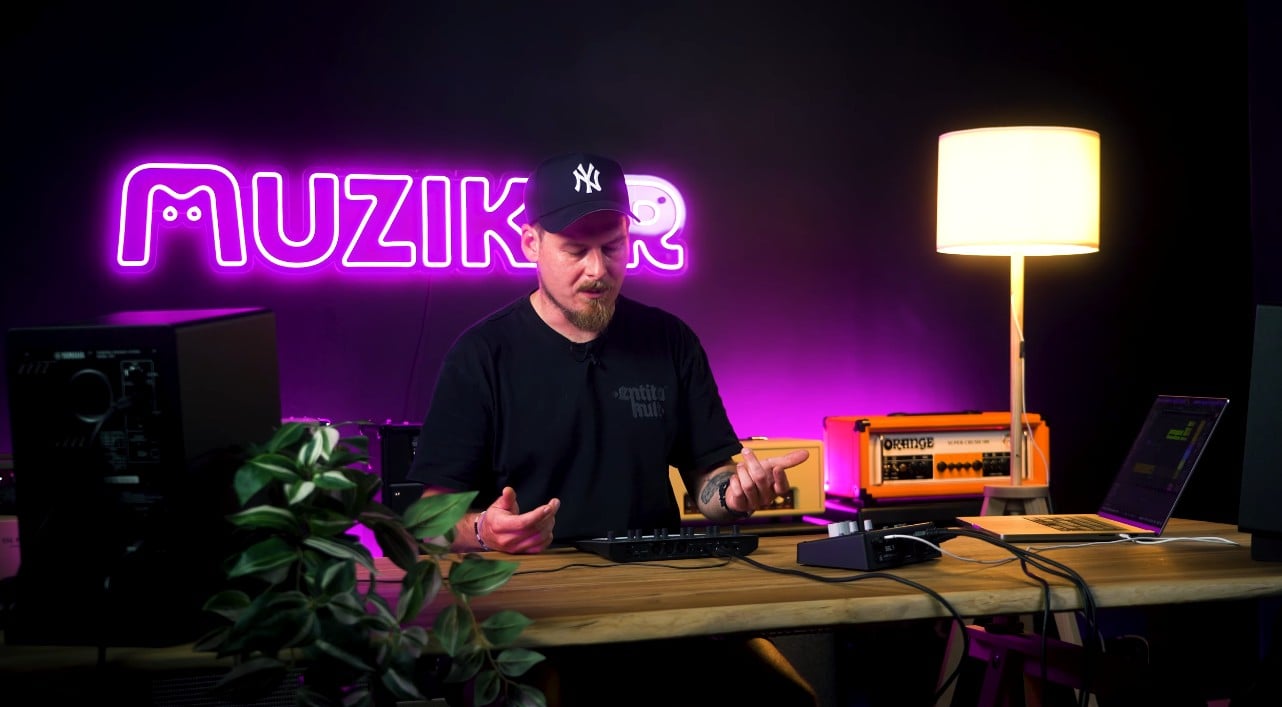
Only now did the drums arrive, starting with the kick. Viktor found one with too much top end and a long tail, so he put a lowpass filter on it, cutting the highs and leaving only the bottom. The kick lost its click and gained the weight this type of beat needs.
What he did not do is just as telling. He did not place the kick on every downbeat, the classic straight four-to-the-floor house pattern, but played it into a variation that fitted the chopped piano better. He deliberately left reverb off it until the final mix, which is a good habit, because spatial effects added too early are very hard to take back out later.
If you are curious how these sounds are made for real, have a look at acoustic drums, electronic drums or drum machines, which most classic kicks come from.
What he did not do is just as telling. He did not place the kick on every downbeat, the classic straight four-to-the-floor house pattern, but played it into a variation that fitted the chopped piano better. He deliberately left reverb off it until the final mix, which is a good habit, because spatial effects added too early are very hard to take back out later.
If you are curious how these sounds are made for real, have a look at acoustic drums, electronic drums or drum machines, which most classic kicks come from.
Step 4: Snare, clap and what makes a beat a beat
The snare and the clap go to their places on the grid, the matrix in which each pad stands for one step in the bar. This is where most people click them in neatly on every second beat, and this is exactly where the drum-machine feeling comes from.
The answer is called micro-timing and Viktor demonstrates it in the episode. It is a function that nudges an individual hit slightly forward or back off the exact grid, so the rhythm stops being mathematically perfect and starts to breathe. This is precisely the swing J Dilla built his signature on, followed by a whole generation of hip-hop producers, and his records are worth hearing for that alone.
Under the clap he also placed another quiet texture, inaudible on its own but giving the hit a sharper attack. Layering like this is a standard trick for getting an expensive sound out of a cheap sample, and it works the same way with percussion.
The answer is called micro-timing and Viktor demonstrates it in the episode. It is a function that nudges an individual hit slightly forward or back off the exact grid, so the rhythm stops being mathematically perfect and starts to breathe. This is precisely the swing J Dilla built his signature on, followed by a whole generation of hip-hop producers, and his records are worth hearing for that alone.
Under the clap he also placed another quiet texture, inaudible on its own but giving the hit a sharper attack. Layering like this is a standard trick for getting an expensive sound out of a cheap sample, and it works the same way with percussion.
Step 5: Hi-hats and shakers on top
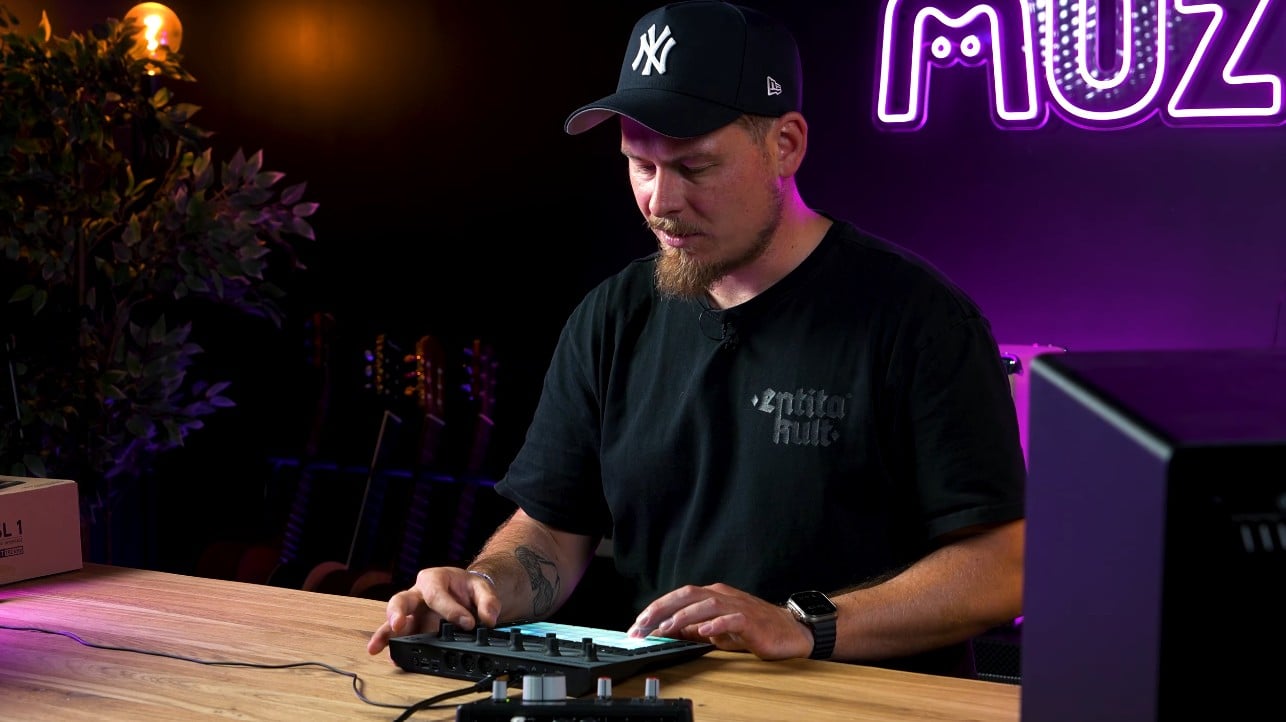
The hi-hats came in as the second to last rhythmic layer, and once again Viktor did not leave them alone. He put a shaker underneath the hi-hat, so both tracks play the same pattern stacked on each other and the result is more present than turning one sound up would be. Building the high end this way is far more subtle than simply adding volume.
Step 6: The bass that holds it together
Viktor prepared the bass at home on an external synthesizer, recorded it as a sample and brought it in finished, because he did not fancy hauling the big machine over. It is a completely normal way of working and it shows that a groovebox and analogue synthesizers are not rivals but partners. A classic choice for this job is the Novation Bass Station II.
Even a finished sample can be worked on further. The machine has encoders for the classic ADSR envelope, that is attack, decay, sustain and release, which set how quickly the sound arrives and how long it rings out, plus a lowpass and highpass filter, distortion, resonance and tuning. You can open the bass up or damp it down on the fly, and if you record that knob movement as automation, it stays in the track for good.
The bass is deliberately buried in the mix. On big studio monitors and in studio headphones you hear it clearly, but on a phone it nearly disappears, which in this genre is normal rather than a fault.
Even a finished sample can be worked on further. The machine has encoders for the classic ADSR envelope, that is attack, decay, sustain and release, which set how quickly the sound arrives and how long it rings out, plus a lowpass and highpass filter, distortion, resonance and tuning. You can open the bass up or damp it down on the fly, and if you record that knob movement as automation, it stays in the track for good.
The bass is deliberately buried in the mix. On big studio monitors and in studio headphones you hear it clearly, but on a phone it nearly disappears, which in this genre is normal rather than a fault.
Step 7: A vocal and effects to close the loop
The final layer was a short vocal sample Viktor recorded with his own voice into a microphone and drowned in delay and reverb. He placed it at the end of the loop, where it acts as a bridge into the next round, so the listener does not feel the track is simply repeating.
You do not need to be a singer or own an expensive microphone. One word, one breath or one syllable is enough, buried in effect until only the mood of the original sound remains. If you want to record vocals properly, the process is covered in how to record clean vocals at home.
You do not need to be a singer or own an expensive microphone. One word, one breath or one syllable is enough, buried in effect until only the mood of the original sound remains. If you want to record vocals properly, the process is covered in how to record clean vocals at home.
Step 8: Velocity, so it does not sound like a computer
With the beat finished, the dynamics needed attention. Velocity is how hard a given step sounds, and Viktor went through the steps adding to some and taking away from others. The aim is not to even out the volume but to make it sway, because a drummer never hits twice in exactly the same way either.
Watch out for one thing that is easy to forget. On these machines the grid has two pages, steps 1 to 16 and steps 17 to 32, so if you double the loop you have to make the same edits on the second page. Otherwise the first half of your beat breathes and the second half sounds like a metronome.
Watch out for one thing that is easy to forget. On these machines the grid has two pages, steps 1 to 16 and steps 17 to 32, so if you double the loop you have to make the same edits on the second page. Otherwise the first half of your beat breathes and the second half sounds like a metronome.
Step 9: Add a second section
An eight-bar loop is great, but after a minute it starts to tire, so Viktor added a second pattern as a B section. He built it on a single little sample spread across the keyboard.
It works through a mode called keys or notes, which you will find on every sampler. The machine takes one sound and lays it out across the pads at different pitches, so suddenly you are playing a melody from a single sample. Viktor came up with a simple eight-bar motif, put delay on it and had his escalation ready without adding a single new sound.
It works through a mode called keys or notes, which you will find on every sampler. The machine takes one sound and lays it out across the pads at different pitches, so suddenly you are playing a melody from a single sample. Viktor came up with a simple eight-bar motif, put delay on it and had his escalation ready without adding a single new sound.
Step 10: Recording and finishing on a computer
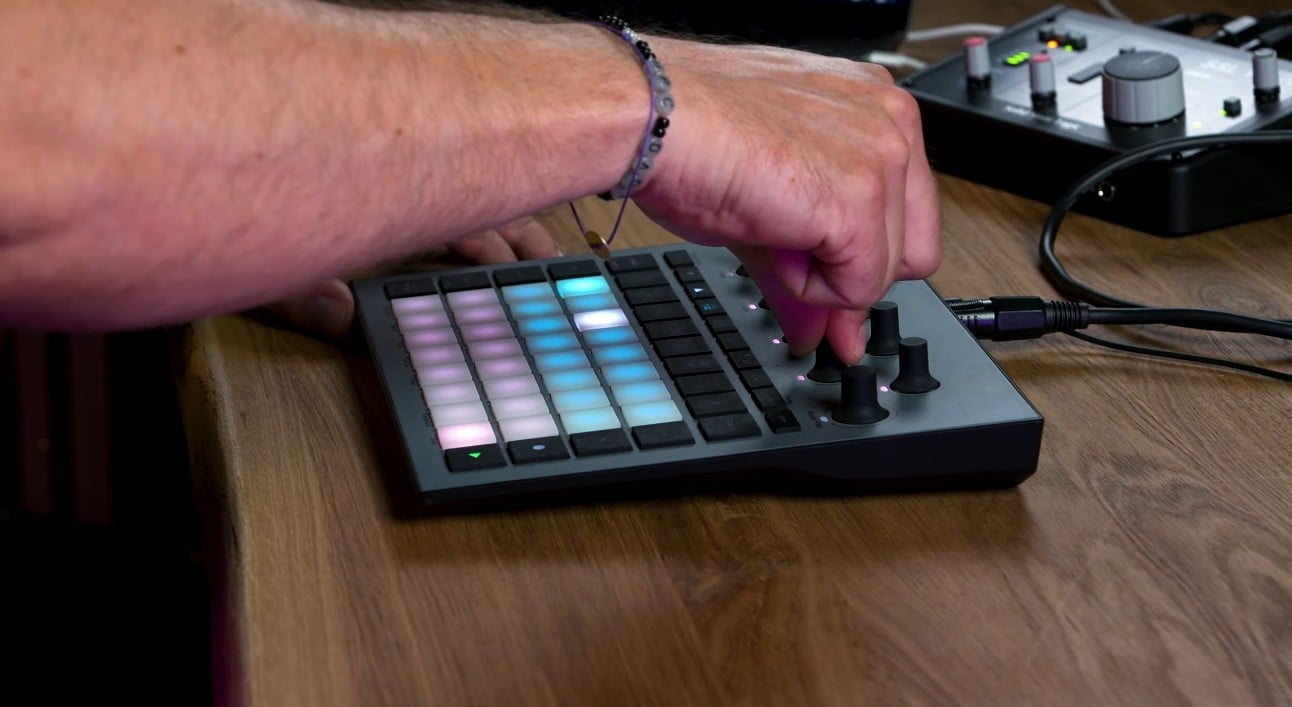
Here the paths split and both are valid. The first is to record every track separately into a computer, which takes longer but gives you maximum control at the mix stage and your mastering engineer will thank you for it. The second is to perform the whole beat live and record it as a single track, which is Viktor's route, because his DJing background makes him value the performance and he wants his in-the-moment decisions to stay in the recording.
The work then continues on the computer. Viktor works in Ableton, but the track principle is the same in all DAW programs, and which one to choose is compared in FL Studio vs Ableton. The rest of the range is in studio software. A neat trick is to drop a plain tuner on the track, let it run for a moment and find out what key your pitched sample is actually in, so you can tune the bass to it.
It pays to mix across several systems, on monitors, in headphones and in the car, because each one tells you something different about the track. The most common mistakes are covered in our article on mixing mistakes and speeding up the whole workflow in less clicking, more music.
The work then continues on the computer. Viktor works in Ableton, but the track principle is the same in all DAW programs, and which one to choose is compared in FL Studio vs Ableton. The rest of the range is in studio software. A neat trick is to drop a plain tuner on the track, let it run for a moment and find out what key your pitched sample is actually in, so you can tune the bass to it.
It pays to mix across several systems, on monitors, in headphones and in the car, because each one tells you something different about the track. The most common mistakes are covered in our article on mixing mistakes and speeding up the whole workflow in less clicking, more music.
What you need for it
To start you need one groovebox and a pair of headphones. Everything else you buy according to where you get to, not the other way round. If you are picking a first machine, go through grooveboxes and samplers, or MIDI controllers if you want to drive software on a computer.
Over time you will also want an audio interface for recording from outside, a studio microphone for your own samples, studio monitors or at least decent studio headphones for mixing, and DJ headphones if you also play your beats out. Kitting out a home studio is covered in the home studio guide, and the first steps in production in how to start making music at home.
Over time you will also want an audio interface for recording from outside, a studio microphone for your own samples, studio monitors or at least decent studio headphones for mixing, and DJ headphones if you also play your beats out. Kitting out a home studio is covered in the home studio guide, and the first steps in production in how to start making music at home.
The short version
A beat is not assembled from the top down but in layers, and the order Viktor used works almost every time. First find the sound that gives you the mood, then add dirt and texture, build the kick on top of that, add a snare with swing and the hi-hats, then the bass, and finally a vocal or an effect to bridge the loop. Only right at the end do you tune the velocity and glue on a second section.
There is no single correct method and Viktor says so himself. One person sits over a track for two days, another performs it live in half an hour. What matters is squeezing everything out of one machine before you jump to the next, because in six months what will make the difference in your beat is how well you know your machine, not how many of them you own.
There is no single correct method and Viktor says so himself. One person sits over a track for two days, another performs it live in half an hour. What matters is squeezing everything out of one machine before you jump to the next, because in six months what will make the difference in your beat is how well you know your machine, not how many of them you own.
You can watch the whole process in the No Headroom with Viktor episode on our YouTube channel.
Frequently asked questions
Do I need a computer to make beats?
You do not. A groovebox has the sounds, the sequencer and the effects inside it, so you can build the whole beat with no computer attached and listen to it on headphones. The computer only becomes useful for the final mix and for saving and sending what you have recorded.
Which groovebox should I buy first?
Look for one you can switch on and play without reading the manual, because the first few weeks decide whether you stick with it. The Novation Circuit Rhythm from the video is a sampler built around working with your own sounds, while the Circuit Tracks leans more towards synthesis. Compare all grooveboxes and drum machines.
Where do I get samples from?
You buy ready-made packs, download free ones, or record your own from a record, an instrument or a microphone. Your own samples are the best route in the long run, because nobody else has that exact sound, but starting out with ready-made ones is perfectly fine.
Why does my beat sound mechanical?
Almost always because every hit has the same velocity and sits exactly on the grid. Make the strength of the individual steps sway and nudge two or three hits a few milliseconds off the grid. This swing is exactly what the sound of J Dilla is built on.
Why does my beat sound flat compared with what I listen to?
Usually because it has too few layers and everything plays at the same volume. Try putting a shaker under the hi-hat, adding a quiet texture beneath the snare and leaving vinyl noise running in the background. Only then start looking for the fault in the mix, which is covered in our article on mixing mistakes.
Is it better to record a beat live or track by track?
Live is faster and the energy of the moment stays in the recording. Track by track takes longer, but you can change anything at the mix stage, and if you send the track for mastering the engineer will get you a better result. For a bigger project with a band or a rapper, the second route is worth it.